
SOSFactory Market
Avatar Creator FAQ
This Avatar Creator FAQ answers questions about the sets, the Photoshop Avatar Manager script, licensing and updates.
What is new in Avatar Creator 2.0?
Our Avatar Creator has been on the market for a while; version 2.0 is the improved one:
- Extended layering system with new items.
- Improved stacking order.
- Added Photoshop Avatar Manager script.
- Men sets were improved, while female sets were completely redrawn.
Please check the change log for more details.
I purchased the old Avatar Creator, could I get version 2.0 for free?
Absolutely! Please contact us and we will give you access to the new version, compatible with PAM and with improved designs, at no cost.
What is included in each purchase?
Our Avatar Creator has thousands of interchangeable items grouped in sets for men or women. Each set contains:
- 15-20 items, up to 6 color variations per item.
- 10 different skin colors in each set (including funny ones: vampire, zombie, robot and alien).
- 1 source PSD, layered so you can edit any item or create new color variations.
- 1 flat PSD with all color variations in folders for easy naming and exporting.
- High resolution, high quality bitmaps (3,000×2,500 px).
The more sets you have, the more combinations you can make.
What do I need to create my avatars?
All you need to handle the PSD files is any version of Adobe Photoshop and a few avatar sets, which you can purchase at our avatar store.
We have developed several Photoshop scripts that help you handle your PSD files:
- With our Photoshop Avatar Manager script (PAM) you can handle your avatar sets within Photoshop.
- With the Batch rename and Export layers to PNG scripts you can rename dozens of Photoshop layers automatically and export them to PNG files, keeping the layer names, to be used in any web based application or mobile app.
How do I run the Photoshop Avatar Manager (PAM)?
PAM is a custom Photoshop script developed to save you the hassle of managing hundreds of layers. Change the skin color, choose pre-made sets, change items or colors with only a few clicks!
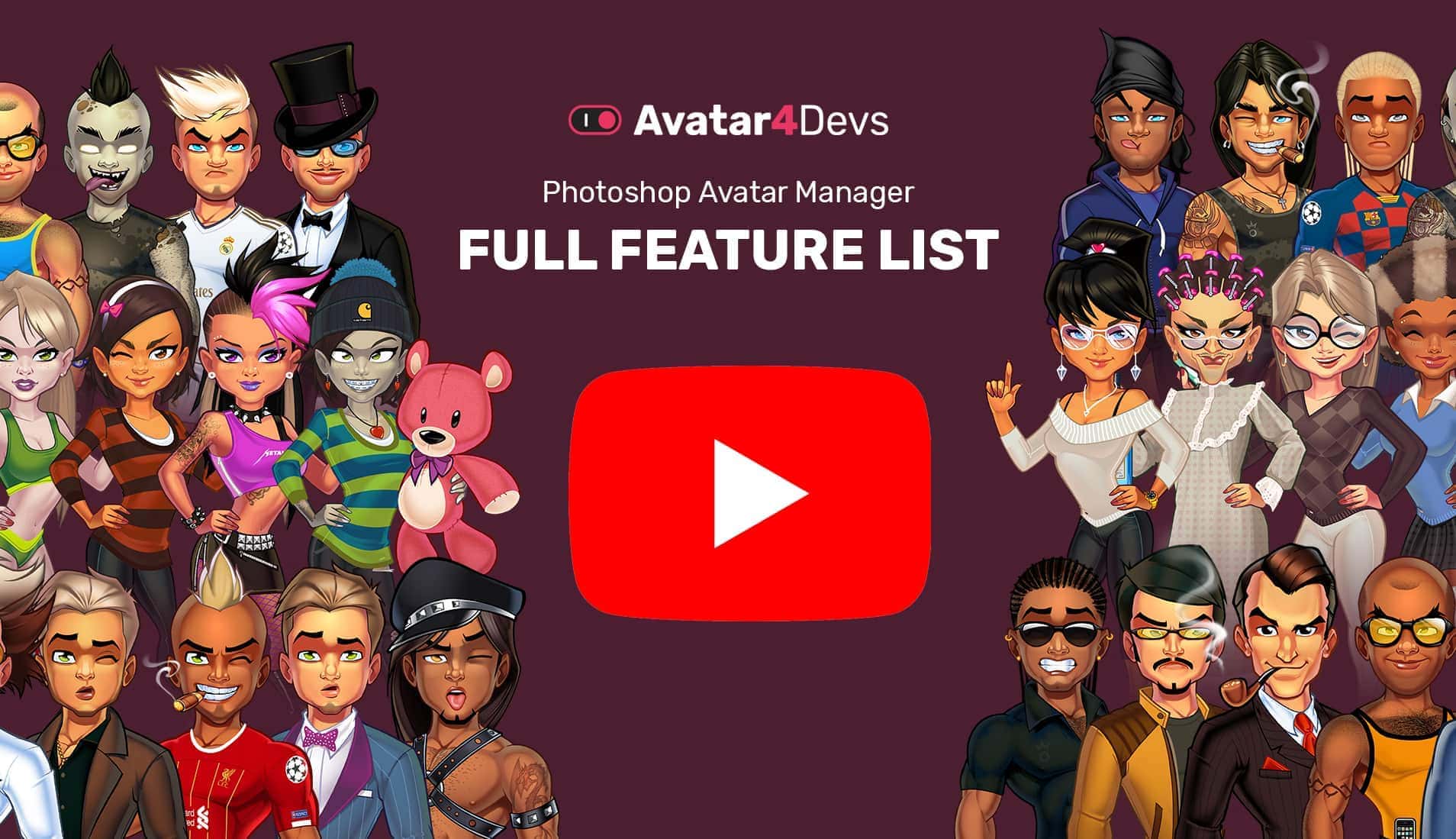
Download sets and PAM
Place your purchased Flat.psd and the PAM.jsx file in an empty folder.
Load PAM in Photoshop
In Photoshop go to File > Scripts > Browse and select PAM.jsx.
Let the magic happen
PAM needs 30 seconds per set the first time. Just a few seconds the next time.
Download
PAM, the Photoshop Avatar Manager script. Free.
Warning: the PAM script requires intensive CPU usage. We suggest you test it with a couple of sets before loading a lot of them.
What is a base.psd file?
PSD (Photoshop Document) is the image file format native to Adobe’s popular Photoshop application.
The first time you run PAM, it will detect and merge all flat-man/woman-XX.psd files into a base.psd file. This process can take up to 30 seconds per set; please let the computer rest until the interface appears.
Through the base file, PAM compiles all the stacking info and creates an Avatar Manager interface where you can hide or show items, export your avatar to PNG, change the skin tone or choose pre-made sets… It is quite straightforward, as Photoshop’s capability for building interfaces is very limited.
The second time you run PAM, Photoshop will check whether you already have a base.psd. If so, it will offer 2 options:
- Use the existing base.psd, saving a lot of time.
- Rebuild a new base.psd, in case you made changes in any flat file or added new sets.
Whether you run PAM for the first time or rebuild the base.psd file, PAM will save your base.psd automatically for further use whenever you close its interface.
PAM stacking order and nomenclature
To work with PAM, all folders within the PSD files must have a fixed stacking order and nomenclature.
For example, a folder named a1-hand09:
- a1 = stacking position.
- hand = item category.
- 09 = set number 9.
The following table has the full info about IDs and categories:
| ID | Category | Description | PAM tab | Skin |
|---|---|---|---|---|
| 01 | others | Anything over the avatar that has no specific category. | 5 Others | |
| a1 | hand | Avatar’s variable hand. | 4 Accessories | X |
| b1 | hat | Hats, helmets… anything over the hair. | 4 Accessories | |
| b2 | hair_top | Hair over the character’s head. | 1 Face | |
| c1 | earrings | Earrings, piercings… | 4 Accessories | |
| d1 | glasses | Items that cover the avatar’s eyes. | 4 Accessories | |
| d2 | eyes | Eye globes. | 1 Face | |
| e1 | moustache | Beard, moustache or sideburns that cover the mouth. | 1 Face | |
| e2 | mouth | Mouth. | 1 Face | X |
| f1 | nose | Nose. | 1 Face | X |
| g1 | makeup | Color layer for makeup. | 1 Face | |
| g2 | eyebrows | Eyebrows and shading around the avatar’s eyes. | 1 Face | X |
| h1 | beard | Soft beard below facial features. | 1 Face | |
| h2 | head | Custom head shapes. | 1 Face | X |
| i1 | coat | Wide coats that cover clothing. | 2 Torso | |
| i2 | jacket | To be combined with a shirt. | 2 Torso | |
| j1 | jumpsuit | 1 piece clothing. | 2 Torso | |
| k1 | pullover | Wide tops. | 2 Torso | |
| k2 | polo | Shirts with collar. | 2 Torso | |
| k3 | shirt | Shirts. | 2 Torso | |
| l1 | boots | Wide shoes pants. | 3 Legs | |
| m1 | skirt | Long or short skirts. | 3 Legs | |
| m2 | shorts | Short pants. | 3 Legs | |
| m3 | pants | Regular pants. | 3 Legs | |
| n1 | shoes | Shoes. | 3 Legs | |
| o1 | necklace | Necklaces or items around the neck. | 4 Accessories | |
| o2 | watch | Watches, wristbands… | 4 Accessories | |
| p1 | socks | Socks or stockings. | 3 Legs | |
| q1 | undies | Undies must be very tight! | 2 Torso | |
| r1 | tattoo | Tattoos. | 2 Torso | |
| r2 | chest_hair | An additional texture that covers part of the avatar’s skin. | 2 Torso | |
| r3 | skin | Skin color. | – | X |
| s1 | hair_under | Long hair behind the avatar. | 1 Face | |
| t1 | back_item | Items behind the avatar. | 5 Others | |
| u1 | wallpaper | Wallpaper backgrounds. | 5 Others |
Within each folder there are layers containing the item’s color variations. Regular item variations are just numbered, while color cast item variations have the following fixed nomenclature:
| Skin | ID |
|---|---|
| Zombie | zomb |
| Robot | rob |
| Vamp | vamp |
| Alien | ali |
| Afro dark | af2 |
| Afro | afro |
| Indian | indian |
| Latin | latin |
| Caucasian | euro |
| Asian | asian |
If you use our batch rename and export scripts, you will get PNG files like this one: a1-hand09-afro.png (the item stacks on top, it is a hand from set 09 and it has the afro color cast).
PAM troubleshooting
We have tested it with Photoshop CC versions on PC and Mac. It may work with previous Photoshop versions, but we can’t guarantee it. As PAM is a free product we don’t offer support of any kind; even so, if you want to report a bug, feel free to contact us and we will do our best to fix it in newer versions.
Known issues:
- On Mac, when the script finishes, the progress window never closes; just ignore it.
- When PAM finishes working, Photoshop menus and shortcuts get blocked and you can only use PAM’s interface. This is normal behaviour.
- Modifying the base.psd file could make PAM stop working. You can make changes to the flat files as long as the folder nomenclature is correct, and then rebuild a base.psd file.
- The interface is laggy: this is normal behaviour. Please keep in mind we are pushing Photoshop to the max; 1-2 seconds of delay every time you change an item is normal.
- PAM doesn’t find the flat-***.psd files. PAM scans its folder looking for PSD files whose name starts with “flat-”. If you change the file’s name, PAM won’t find it.
- If PAM displays gaps in the dropdowns or items in the wrong categories, please check that the folder nomenclature is right.
Could I use my avatars in web based applications or mobile apps?
Yes! Instead of using PAM, you may want to export your Photoshop avatar items to PNG files to be used in any web based application or mobile app. You may also need to rename those PNG files following a specific nomenclature.
For this purpose we have developed 2 custom scripts that can rename and export dozens of items in just a click:
- Batch rename: rename dozens of layers automatically based on the folder names.
- Export layers to PNG: export the renamed layers to PNG files with the same names.
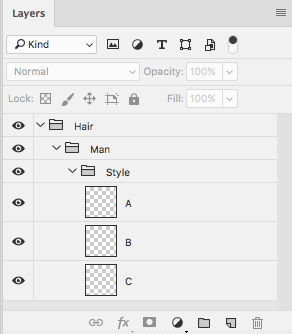
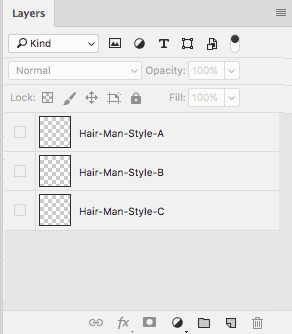
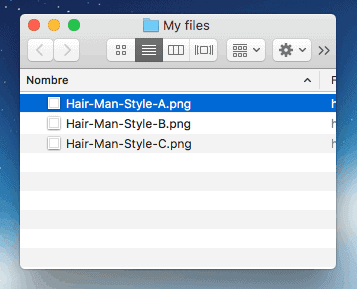
Open Photoshop and click File > Scripts > Browse, then locate the script and follow the instructions.
Disclaimer: these are free scripts. We wrote them for our own use, and while they work smoothly on our computers, we do not offer a warranty of any kind. Please back up your files before using them, at your own risk. Feel free to contact us if you want to report a bug.
Do you offer custom sets?
Yes, we do… as long as you don’t expect stock design prices. For your estimate, we spend 3-4 full working days creating a single set, so we charge accordingly.
Licensing our Avatar Creator
You can use our Avatar Creator for personal or commercial purposes as long as you don’t sell it, license it or give it away. Every purchase of the Avatar Creator grants you its use in just 1 application: web, game, app… If you use it in a second project, you should purchase it again.
For a developer license with unlimited usage, you can contact me.
Feedback
Your feedback is much appreciated. Feel free to email us at [email protected] with any suggestion, bug or question you may have.
Change log
October 2021: Avatar Creator 2.1
- Canvas size was standardised to 2200 x 3500px.
- Added hats to all sets.
- Female sets 4 and 6 were completed.
July 2020: Avatar Creator 2.0
- PAM script V 1.0.2 fixed a bug for Photoshop CC 2015.
- PAM script V 1.0 created from scratch.
- “Full sets” category deleted; now the plugin has the ability to select all items within the same set.
- 2 kinds of hair items added, “b-hairtop” and “u-hairunder”, so more combinations are possible.
- New categories added and stacking order improvements.
- Body redesign for women avatars, now more feminine.
- Women sets created from scratch.
- Set 08 for men includes 6 top football team uniforms: Real Madrid, Barcelona FC, PSG, Liverpool, Juventus, Bayern Munich.